

Monday, August 30, 2021

Thursday, July 30, 2020
Helping Students Bloom During Remote Learning
PTAC Blog Post

Thank you for sharing my blog post "Helping Students Bloom During Remote Learning." My post aligns with PTAC's Recommendations. Here are my #remotelearning resources: bit.ly/3ds7giN
Friday, July 17, 2020
Teaching and Parenting During COVID-19
International Panel Discussion

Today I was happy to connect with other educators from around the world to discuss Teaching and Parenting During COVID-19. Here is a link to some of the different remote learning resources that I referenced throughout the discussion.
There were a lot of great things discussed throughout the session. It is important to remember to be intentional about what we are teaching, and we need to select technology that is appropriate for our lessons. We want students to activity participate throughout lessons. As educators, we need to differentiate our approach in how we instruct and communicate with families during remote learning. It can be challenging to find the right balance, but we need to embrace the time that we have with our own children right now. We need keep the lines of communication open between families and teachers. Our Personal Learning Network (PLN) is key right now. We are stronger together. We feel like there will be a lot of positive things that emerge from this unprecedented experience.
Monday, May 4, 2020
Digital Student Teacher Week #6
Final Reflections of Digital Student Teaching

Vlog #6: https://youtu.be/bDYiWE5IR6I
This is Miss Tina McDaniel's final week. She had a dual placement so her entire experience working with me involved remote learning. Every week we recorded a vlog describing the experience. In this Vlog, Miss McDaniel shared about how she was able to connect with students during remote learning. She highlighted some of her key takeaways. She described how she is working on creating a digital portfolio. She is planning on creating a QR code link that she will include on her business cards. I had recommended to Miss McDaniel that Dr. Sam Fecich has great resources on her website about developing digital portfolios: https://www.sfecich.com/
Monday, April 27, 2020
Digital Student Teaching Week #5
Interactive Lessons and Feedback

Vlog Week #5: https://youtu.be/Kkr6ORnjOT0
As we reflected upon the week, we found that two themes emerged: Interactive Lessons and Feedback. This week we focused-on finding the best ways to create interactive lessons during remote learning. In our Vlog, we shared about how we used Nearpod. We created self-paced Nearpod lessons. We embedded different voice recordings to provide students with the recorded instructions. Also, we were able to use interactive tools like DrawIt, Polls, Open Ended Responses, etc. It is easy to embed FlipGrids and YouTube videos within Nearpod. Since students do not have materials at home it can be difficult for students to take part in science experiments that require resources. So Miss McDaniel created YouTube Videos with the different experiments. Then she gave students the option to share their experiments at home via FlipGrid. This past week we used Learning A-Z, specifically Reading A-Z or RAZ, to provide students with leveled texts. The students were able to record their own reading. I love listening to my students reading. Then I can record my own feedback. I even pressed our Staple's "That was easy" button that we use in our classroom to celebrate excellent reading. Kahoot is a great tool to use with students too. The students answered questions in a trivia format at the end of our science unit. This is a fun way to gather information about what students' know. I created a grid to provide students with feedback during remote learning. If students completed an assignment then I provided students with a digital sticker. If students missed an assignment then I provided students with feedback in the box about what they missed. Here is a copy of the grid if you would like to use it with your students: https://bit.ly/remotelearninggrid
Please reach out to use if you have any questions or ideas for us for our upcoming Vlog about Digital Student Teaching.
Friday, April 17, 2020
Digital Student Teaching Week #4
Strengthening Communication

During Remote Learning Week #4, my student teacher Miss McDaniel @miss_tmcdaniel and I explored different ways to strengthen our communication. As teachers we need to differentiate our communication based-on the different family circumstances. Some parents are working in the medical field or different emergency capacities. We need to find a way to help these families so students can be more independent online as parents work long hours. We provide a one-stop schedule with the different embedded hyperlinks in a Google Template every week. We organize our schedule in the Schoology Calendar. At the beginning of every week, we provide a recording with an overview of the different assignments. Also, we provide two options for directions. We provide a visual description, and we provide a recording that we create using Screencastify. I love using the grading features that Schoology has in place on the ipad. I am able to write on the students documents to provide direct feedback. We do not want to ask students to complete assignments without providing feedback. We are continuing to recognize the work of our students. We give shout-outs through the week on Schoology, and we recognize students during our weekly Google Meets. If you have additional ideas about how we can further strengthen communication then please reach out to us. If you have questions about different tools that we are using then please connect with us too. We are stronger to together. Our purpose for sharing our vlog is share our story in case it helps others.
Thursday, April 9, 2020
Bring a Spark of Creativity and Fun to Remote Learning
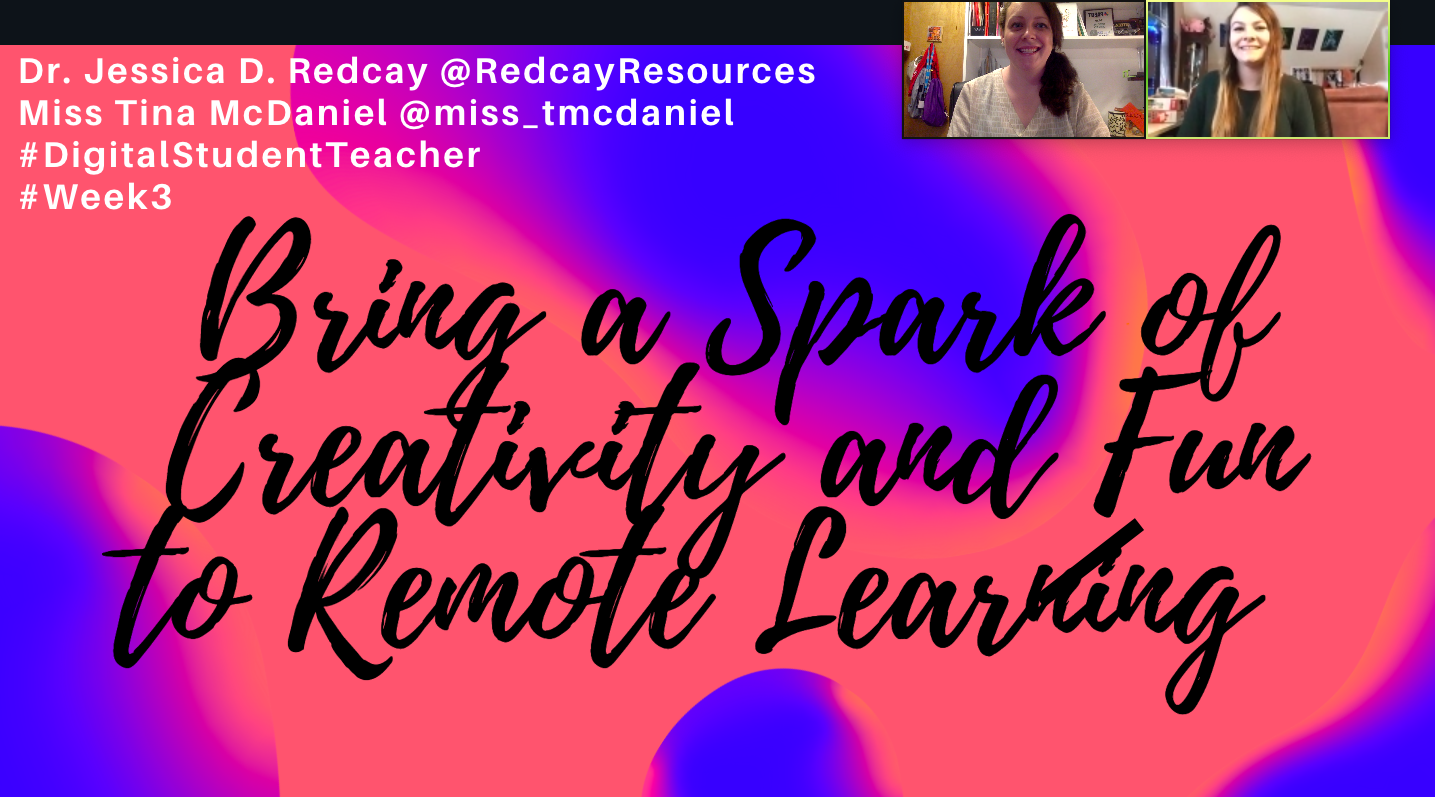
Check-out Our Vlog: https://youtu.be/uuSsPgczGbg
My student teacher and I shared our digital student teaching vlog #3. This is a vlog that will help all teachers who are looking for ways to bring a spark of creativity and fun to remote learning. We know that these are tough times so we wanted to share some of the things that we found that engage our students. Specifically, we focused-on how to use digital breakouts, VR writing prompts, and Flip-hunts. Please reach out to us if we can support in any ways. We are all in this together.
Friday, April 3, 2020
Digital Student Teaching Week #2
Customizing and Adapting

Click here to watch our Vlog Post #2: https://youtu.be/TtC9_Fm39hg
We have completed one week of remote learning. My student teacher and I shared in our Vlog Post about the lessons that we learned. We found that everything we learned fits under the umbrella of customizing and adapting our instruction.
This week we spent a lot of time working with different families to help them get logged-in to everything at home. We decided to keep things simple. We did not introduce new tech tools this week. Rather, we used the tech tools that the students were already familiar with using in the classroom. Also, we staggered different activities each day. We created video tutorials to walk families through different issues. Overall, we thought things went smoothly.
We remained flexible, and we made it our purpose to connect and listen to the feedback from students and families. We tried a shared Google Sheet to have the students describe their feelings, but it worked differently remotely. In the classroom, the students go the slide that matches their student number. However, remotely it didn't work out yet. So we transitioned over to a Google Survey. It was awesome!
The highlight of the week came from our collaborative planning time. If we saw individual feedback that we needed to address then we could reach out to those families individually. Next we analyzed the overall feedback of the class to gauge how everyone was feeling. When we used the feedback to customize our instruction then it felt like a sigh of relief. It seemed like everyone felt more comfortable and connected.
We spent a lot of time making daily videos, but when we tracked the analytics then we realized that the majority of the class was not using these materials. We took a poll in Schoology, and we realized the families were looking for live interactions. We connected with our students using a Google Meet, and it was a success.
Also, we have been interacting and watching the different FlipGrid posts of the students. We noticed that the kids in this class loved making blanket forts. We decided to create our own class blanket fort competition. The kids will design a blanket fort, and they will share it with the class using FlipGrid. At the beginning of the week, I didn't imagine us having a blanket fort competition, but it is important to tap into the interest of the students.
This week we focused on adapting and customizing online instruction based-on the feedback of the students and families.

Saturday, March 28, 2020
Digital Student Teaching Week #1
Relationships

Podcast Digital Student Teaching Week #1 Developing Relationships Virtually:
Miss Tina McDaniel is my student teacher this year. She has a dual placement so she started with me as soon as we transitioned to remote learning. We decided to share our journey with weekly podcasts. We would like to share our story because we know that other people are also experiencing digital student teaching for the first time too.
One thing we shared in our podcast was how important it is to establish strong relationships with families and students through distance learning. Miss McDaniel created a video to introduce herself to the class. She had the students respond to her through FlipGrid.
Throughout this transition, our goal was to develop a framework to foster a strong classroom culture. We wanted to find a way to make students and families feel safe, connected, and supported. We decided to provide Morning Chats to the families. During our Morning Chats we explain to the students and families how things will work for the day. Also, we are able to provide the students with a shout-out every day. We were able to see who might be struggling so we can connect and support every family. We are hopeful that we can increase the motivation of our student when they can receive a morning shot-out. When we recognize our students then we are letting the students that we see them, and we are acknowledge their hard work.
Miss McDaniel explained that you just need to be cooperative and flexible through this new process. There are a lot of things changing right now. This is a learning experience for everyone. Embrace this experience! We are able to collaborate and stick together through these challenging times.
We teach students. Even though we might not be physically together, we need to find ways to make it work. Be real with your students, and share your own mistakes with your students.
I would like to encourage all mentor teachers to still consider taking in student teachers. During these uncertain times you can figure it out together. If you are finding new ways to develop relationships during your Digital Student Teaching then please feel free to share it with us.


Monday, January 20, 2020
Lessons From Snap Podcast
Lesson Learned From a
Podcast With Evan Spiegel and Jon Gordon
Here is the link for the full podcast: https://positiveuniversity.com/episode/evan-spiegel/

When I was a teenager, I decided that I wanted to be a teacher. My older brother decided that he wanted to be an entrepreneur. My brother drove me to the bookstore, and he walked me to the education section of the store. He told me that if I want to be an educator then I need to read everything that already exists within my field. I sat in the store reading books, and my brother went to the section of the store that was of interest to him. When you fast forward in life, I still continue to read everything that I can about education. As I prepare to teach a new course this semester, I read 40 books. Plus, I still have a lot of books on my list that I want to read. My brother started his own company, and he continues to stay knowledgeable about what is going on within his field.
In addition, I love listening to podcasts as I work-out. I loved listening to the Podcast between Evan Spiegel and Jon Gordon. I love learning about the story behind the journey of different inventors, entrepreneurs, educators, etc. I found a lot of parallels between what was shared from the creator of Snapchat (now called Snap), and lessons that I can learn as educator.
I love that Evan Spiegel explained that he started his journey with being an entrepreneur from a college course. The professor had different guest speakers. He was able to see different possibilities by learning from these experiences. I love that as educators we can open doors, and we can provide students with possibilities that can help them find their true direction or purpose.
Before Snap, Evan Spiegel had invested a year working on a project called "Future Freshman." The project wasn't working, and it was difficult for him to let go of it to change to something that did work. However, by letting go of the things that didn't work he was able to move into something better. Also, he could not focus on what others were doing around him. He had to stay on track working with his friend to try new things. I remember that when I was 100 pages into my dissertation, I found out that my dissertation committee didn't like it. It was difficult, but I threw the dissertation away, and I started again. It worked, and I was able to create a new curriculum: Ludus Reading. Evan Spiegel said, "Start with an idea that is simple, so you can learn as quickly as possible." We need to teach our students that we learn from our failures. Our failures can lead to opportunities that we never imagined. "We need to take big risks as long as we believe in it." The idea to fail forward is a new concept that I have introduced to my Girls Who Code Robots Club. Their first assignment was to fail as much as possible. The girls were shocked, but it allowed them to take creative risks, and they could move away from worrying about failing. We need to learn from our mistakes.
One thing that Snap does well is that they listen to the community. They make changes to their company based-on the feedback from the community. However, they are strategic in how they respond to the requests of the community. In our classroom, we need to listen and get to know the learners who are part of our community. We need to find ways to change our instruction to best meet the needs of our students. However, we need to be intentional about the instruction that we provide to the students based-on their feedback.
When you are building a start-up then you need to focus on positivity. You receive a lot of negativity from the public versus when you work as a private company. We had to be ten times as positive within our company to overcome the negativity that comes from the outside world. Positivity is magnetic and it attracts great people! In our classroom we have some students who come into our classroom who have experienced a great deal of negativity in their life. We are lucky as teachers because we get to invest in our students. Sometimes we are the only bright spot in that students' life. We need to remember to shelter our students from negativity. We need to let them know they are valued.
We have so much to learn from one another. Snap uses council, which is a concept that he learned when he was in school. There are three rules: Speak from the heart. Listen from the heart. Be spontaneous. Everyone sits in a circle, and everyone listens to one another. In our classroom, we have a morning meeting every day where the students have to learn how to be active listeners. It is important for young learners to be able to take the perspective of others. We can achieve a lot when we can understand that we area valued, and we are in a safe place to share our ideas.
I think we could add a little extra Snap to our classroom instruction. We can bring in experts to share things with our students. We can create a positive culture where students actively listen to one another. We can listen to our students to help improve our classroom culture. Students need to remember to continue to fail forward. There are a lot of other takeaways from this podcast, and I would highlight recommend it.
Saturday, December 7, 2019
My Visit to RoboKind
My Visit to RoboKind


I had incredible time visiting RoboKind in Dallas, Texas. The best way to describe the experience is by using an analogy. The experience made me feel like Charlie Bucket in Roald Dahl's "Charlie and the Chocolate Factory." I always wanted to have the opportunity to learn more about how RoboKind created my favorite humanoid robot, Robon, who I code as a teaching assistant in my classroom. When Charlie's dream came true, and he enters the chocolate factory he sees things that were created beyond his wildest dreams, and he saw a lot of chocolate too. We did have chocolate because I brought it from Hershey, PA (my home state). However, the main point was that I saw things that stretched my current thinking about how all students can gain equal access to education now and in the future. Roald Dahl's book was fiction, but the things that I saw were real!
The other thing that changed my perspective is learning more about the behind the scenes of developing transformative educational technology tools. In Roald Dahl's book you visualize these amazing creations, but it is rare that you think about everything that went into the development process. One of my favorite parts of the visit involved learning more about the different versions of the humanoids. There are so many different intricate details that go into the process of taking an idea to create a humanoid robot and actually being able to see the vision transform into a physical creation. When I shared my observations with my 9 year old daughter, she said, "It makes sense why Richard Margolin persevered in the process of creating Robon. He did it because it mattered." She is correct. The humanoids from RoboKinds are making a positive impact for my students and students around the world. These humanoids are being used to help develop social skills with students who have Autism. Further, there is a curriculum used to teach students how to use visual block coding. The students are able to use their code to work with an avatar, but then the code can be connected to the physical humanoid robot too. This is a versatile platform that can be used in so many different ways.


I always respect EdTech companies that value the opinions of the teachers and students who are using these resources. We need to continue to have teachers and engineers partnering together to help create meaningful instructional experiences for our students. I learned a lot from talking to the engineers and everyone who works at RoboKind. I have left this experience with a lot of ideas! I am looking forward to finding ways to best help students learn more about the newest form of literacy: coding. I want students to realize the value in being able to transform their thoughts into a physical creations. I want students to realize that it is ok to fail forward, but it is important to always continue to work hard throughout the design process because it matters!

Sunday, August 25, 2019
National Punctuation Day: September 24th
 |
| www.someecards.com
|
When I was taking a college grad. class, I developing a lesson plan with a team of fellow students. I still use the lesson with my students on National Punctuation Day. It is a lot of fun, and it focuses on important skills that the students can then utilize the rest of the year. Please feel free to use or adapt the lesson to best suit your class. Also, on Twitter, please share with others what you do in your classroom to celebrate National Punctuation Day.
Thank you Education.Com for the free Worksheet and Answer Key. Punctuation can't take a vacation with us around! Please check out Education.com for more exciting language arts worksheets and activities like this!
Don't Let Punctuation Take Vacation
Objective: Students will be able to recognize when to use a period, exclamation point, and question mark. Students will be able to recognize the importance of starting a sentence with a capital letter.
Standard: CCSS ELA Literacy Standard L.2.2.
Materials: Punctuation Takes a Vacation By: Robin Pulver Illustrated By: Lynn Rowe Reed, 3 Shirts (One shirt draw periods on the shirt, One shirt draw exclamation points on the shirt, and One shirt draw question marks on the shirt), Power Point Introduction, Worksheet and Answer Key, and Student Journals.
Assessment: Writing Journals- Select a writing passage to check for proper use of punctuation and capitalizations. Procedure:
1. Introduce the different kinds of sentences and punctuation marks. Select 3 volunteers. Have the volunteers wear the punctuation shirts. Show the PowerPoint. Talk about it as a class. As a class come up with a hand motion and sound that represents the different punctuation marks.
2. Read aloud Punctuation Takes a Vacation By: Robin Pulver Illustrated By: Lynn Rowe Reed
3. I display the last slide of the Power Point on the projector. We talk about how it is confusing to read something that does not include punctuation or capitalizations. We correct it together as a class. We use the hand signs and sounds when we read through the corrected sentences.
4.We are a 1:1 school with ipads so I have the students open the worksheet that I post in Schoology. Then the students annotate on the document using PDF Cabinet. I put the students in partners to practice completing the worksheet. We go over it as a class. We use the punctuation sounds and hand motions at the end of the sentences too.
5. Students are encouraged to apply what they learned to a passage in their writer's notebook. Later, I collect the journals to check to see if the students mastered the use of punctuation and capitalization.
Thursday, August 15, 2019
Gamification
Gamification
I am grateful that I had some amazing experiences over the summer. I learned a lot, and I was able to connect with incredible people. I had the privilege of attending ISTE and then I had the chance to work alongside a group of AMAZING Lead Learners at the Keystone Technology Innovator (KTI) Summit. I was thankful and honored to work alongside the people who I have always admired and respected. I was a KTI Star in 2018, and the Lead Learners invested in me. I was so filled-up from the experience that I couldn't help but want to have the chance to invest in others. I can't wait to see what the KTI2019 Stars continue to do! Also, I learned a lot at KTI!
 |
| KTI Summit Lead Learners, 2019 |
John Meehan @MeehanEDU shared about gamification at the KTI Summit. In addition, to teaching us about gamification, he involved us! I had him autograph a copy of his Edrenaline Rush book too. I read through it a couple of times. I am so thankful that Hollie Woodard @holliewood24 organized this special event!


My mind was ready was to explode (in a good way). I had so many wonderful new ideas. I went to the lake to reflect upon everything. Sometimes I need a minute to reflect. I love nature. Plus, my roomie from KTI2019, Laura Fragassi @FragassiPVtech, reminded everyone at the Summit that it is important to take time for yourself too. If we want to be the best for our students then we need to take time to ourselves too. I have a notebook filled with ideas that I am exploring this year, and a list of new things that I am going to try.

I decided that I would have the greatest impact if I gamified my college class for pre-service teachers. If pre-service teachers experience gamification then they might become more interested in trying it with their students.
So here it ... my first (new) attempt at gamification. I have already used gamification in the classroom, but now I a have a new bag of tricks.
In my Introduction to Early Childhood Class, I decided to assign each student a different theorist to represent in our Survivor game. I created a Google slide template. I provided an example too. At the KTI Summit, Laura Fragassi @FragassiPVtech and Kerin Steigerwalt @kerinteach used a Google slide template for everyone to share-out information their favorite ed. tech tools and teaching strategies. I made the slide template 8.5 x 11 so the students could print it to use it to study later if they would like. Students will discover a lot of information about their theorist, but they will need to curate the information. They need to select two important facts. Plus, they need to select the most important thing about their theorist. They will need to provide references in the slide notes section.


I will be making a video-introduction using my green screens to build-up the excitement. At the KTI Summit, our STEM Challenges were led by Tom Tancin @tancinscience, we used PowToon to build-up the excitement for different challenges. When the Survivor game starts we will assume the role of our theorist. Everyone will wear a name tag.

I will give out envelopes. Inside of the one envelope, I will include an immunity idol. After it is used it will be hidden in an envelope. I reshuffle and redistribute. I will divide the class into three groups (red, blue, and yellow team). As a group, they will complete Early Childhood challenges to earn immunity. For example, they will sort different types of instructional models based-on the provided examples. The two teams who do not have immunity will go to tribal council. At tribal council they need to talk like the theorist, and they need to explain why they are the most valuable person to the field of early childhood education. I will randomly pull the name of two members to go home per round. I will put-out their torch (a cup that looks like a torch). We will continue until we are down to the final tribal council. The class will listen to the final plea of the theorist, and then the class will vote. They will write why they think that theorist should win.
I am so excited to give this a try! If you have suggestions or additional ideas for how I could improve this experience for my pre-service teachers then please reach out to me.
Saturday, July 20, 2019
STREAM Education
STREAM K-6

Ann Noonen and I will be sharing about STREAM Education at the KTI Summit. If you would like to learn more about ways to use Literacy-Based STEM Challenges with your students then please join us on Thursday, July 25th 9-10:15 am in Room 240. Please feel free to check-out our website if you are not able to attend our session: https://sites.google.com/view/streamk-6/home
10 Ways to Use Green Screens to Teach ELA
10 Ways to Use Green Screens to Teach ELA
Green screens can be integrated into English Language Arts (ELA) to make Learning fun and exciting!! I have the 10 ways listed below. Additional examples are available on my website: https://sites.google.com/view/redcays-resources-green-screen/home

If you are at the KTI Summit, I will be presenting on Wed. July 24th from 12:45-2 in Room 104.
Global Launch Day!
Global Launch Day


The girls have been exploring space because they participated in Global Launch Day on July 16, 2019. The girls used Merge Cubes and an AR space app to experience space. Actually, the girls created their own Merge Cubes using this template. If you want then you can use the one side of the template to create your own Merge Shirt. If you print the front of the Merge Cube template onto an iron-on printable sheet then you can apply it to your own t-shirt.

This past year, Girls Who Code started providing club membership for girls who are in Grade 3. Girls Who Code information will be available to explore. Example projects will be provided. The girls in the club code Robon (RoboKind) to teach lessons to younger students. A demo will be provided of how the girls coded Robon to share facts about the solar system.
If you are the KTI Summit then come over to check-out our projects during STEM night on Tuesday, July 23rd from 6:30-8:30.
Friday, July 19, 2019
Social Robots Empower Learners
Social Robots Empower Learners

When I was presenting at the state STEM conference, I met Milo from RoboKind. I was amazed that there was a humanoid robot being used to help students with Autism (Robots4Autism). I was curious about how RoboKind's platform was expanding into Robots4STEM with Jett. Further, I learned that the company was going to come out with a female robot named Robon. I started to wonder what would happen if I had a female robot that could be used to help girls to learn to code. We need to empower more girls to pursue the computer science field. Well, I ended-up getting the first female humanoid from the company. I heard that Girls Who Code clubs were now including younger girls, so I started my club with third graders. The girls spent one hour a week learning through the RoboKind's missions. Essentially, the girls learned about key coding terms and concepts. The girls use block code to code an avatar. Then the robot is connected to the code that the girls write- The girls see that their code makes an impact! The girls in my club applied what they learned to individual projects. The girls taught lessons to younger students. The girls coded Robon to act as a teacher assistant throughout the lesson. You can see some examples of their work on our Girls Who Code Robot website. I decided that I was going to take this a step further. I decided to code Robon to act as a teaching assistant in my classroom. My research about social robots led to development of Redcay's STEM-oscope Model that is used to describe the connections between the use of social robots, STEM Education, and Metacognition. InTechOpen is publishing my research in Sept. in a book that is coming out in the UK. Additionally, the research is published as an Open Resource called "Redcay's STEM-oscope Model." Teachers will not be replaced by robots. Rather, teachers will code humanoid robots to act as teacher assistants in the classroom.
I will be sharing about how I use social robots to empower learners at the KTI2019 Summit on Tuesday, July 23rd from 2:45-4.

I will be sharing about how I use social robots to empower learners at the KTI2019 Summit on Tuesday, July 23rd from 2:45-4.

Thursday, July 18, 2019
Engaging Students
Engaging Students

I am always looking for new ways to engage EVERY learner in my class. I started a website highlighting some of my favorite FREE ed tech tools that help engage students. I will continue to add to this site overtime. At this point, I included FlipGrid, GridPals, FlipHunts, FlipGridAR, GooseChase, and MysterySkype. Here is the website link: https://sites.google.com/view/redcaysresourcesengagestudents/home
I will be presenting about ways that you can engage students at the KTI2019 Summit on Tuesday, July 23 from 9:10-10:25 (Room 105). If you are not able to attend my session then please feel free to check-out the website and reach-out to me with questions.
ISTE19 Reflections
ISTE19 Was Amazing!!

ISTE19 was in my home state: PA. I am a proud PA Educator, and I am happy to be a member of the PAECT. I learned a lot, and I had the chance to connect with so many people. I was honored to take part in Dr. Sam Fecich's @sfecich #edumagic collaborative blog post with @AmandaJeanne2 @TeacherEdBU @MrsTannenb and @erinhall47: https://buff.ly/2JsCU1H! We shared-out some of our takeaways from ISTE19. I loved having the chance to connect with others. I saw some of my old friends and I made new friends. Plus, I was so excited to meet some the creators of some of my favorite Ed Tech tools. I was thankful that I had the chance to connect with so many amazing educators when I was presenting too. ISTE20 will be in Anaheim, CA!
@RedcayResources Ed Tech Updates

Are you interested in learning about new ed tech tools in five minutes or less? Then check-out @RedcayResources Quick Ed Tech Updates.
Let's Check-Out FlipGridAR
On Twitter, @kerszi shared about how you can purchase a HP Sprocketto print the QR to access the AR. Additional info. Is available from Kayla Engle @KaylaEngle4 Also, you can check-out different FlipGrid AR ideas in the Wakelet Collection.
Subscribe to:
Posts (Atom)
